
Highlight Key Clauses
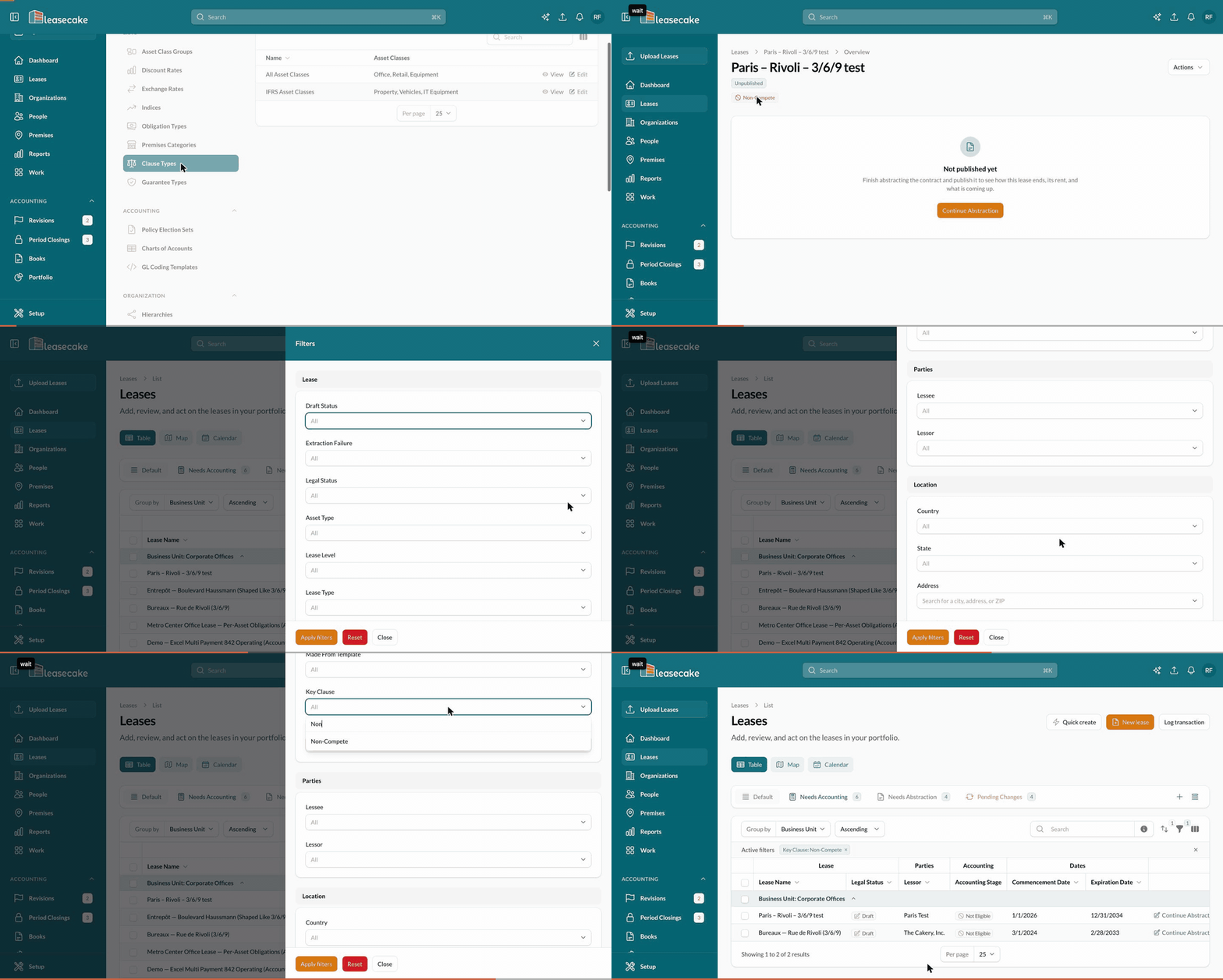
A clause type marked as a Key Clause shows as a badge under the lease name, on every tab, so clauses like a non-compete never sit unseen on a tab nobody opens. Non-Compete and Exclusivity are key clauses out of the box. Hover over the badge to read the clause's note.

Choose which clause types are key
Admins set this in Setup > Clause Types. Mark a clause type as a Key Clause, and every lease with that clause shows the badge.
Find leases by key clause
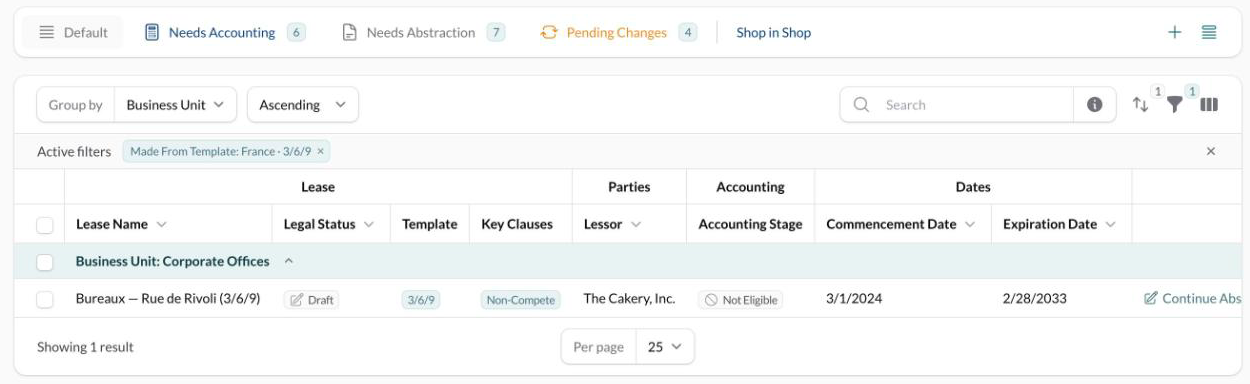
The Key Clauses column on the Leases list is hidden by default.
On the Leases list, open the column picker.
Tick Key Clauses, then click Apply columns.
You can also filter and search the Leases list by key clause.
Add a clause when you create a lease
In Quick create, tick each clause the lease contains in the Add-ons step. You add the clause's details on the lease afterwards.
Was this helpful?
Was this helpful?