
No.
Change a Member's Access
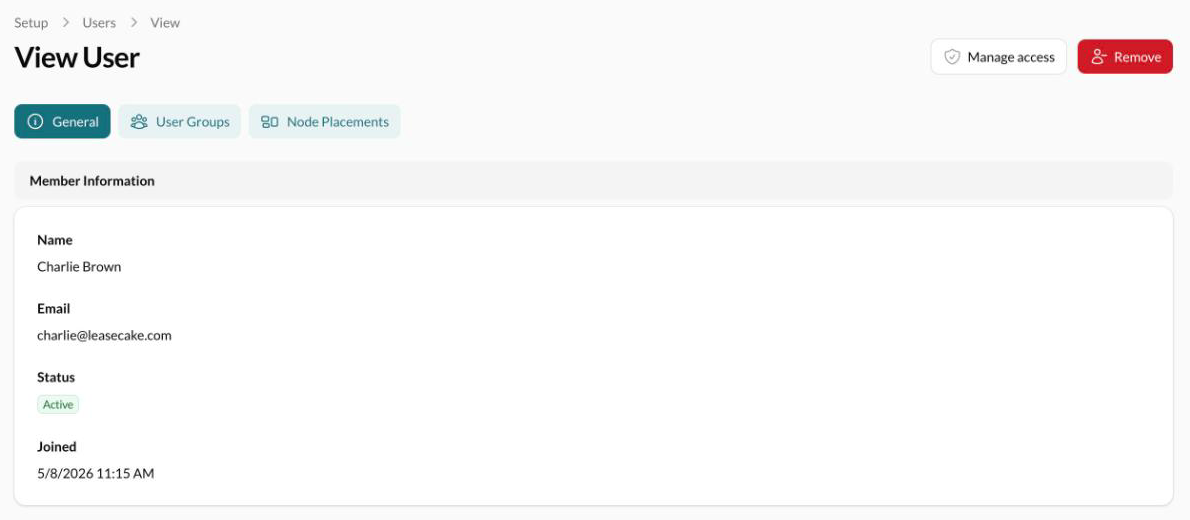
Click a member's name in Setup > Users to see everything they can reach and change it in one form. You need to be an Owner or Admin, and you can't change your own access.
Check what someone can reach
A member's page brings their roles, placements and groups together.
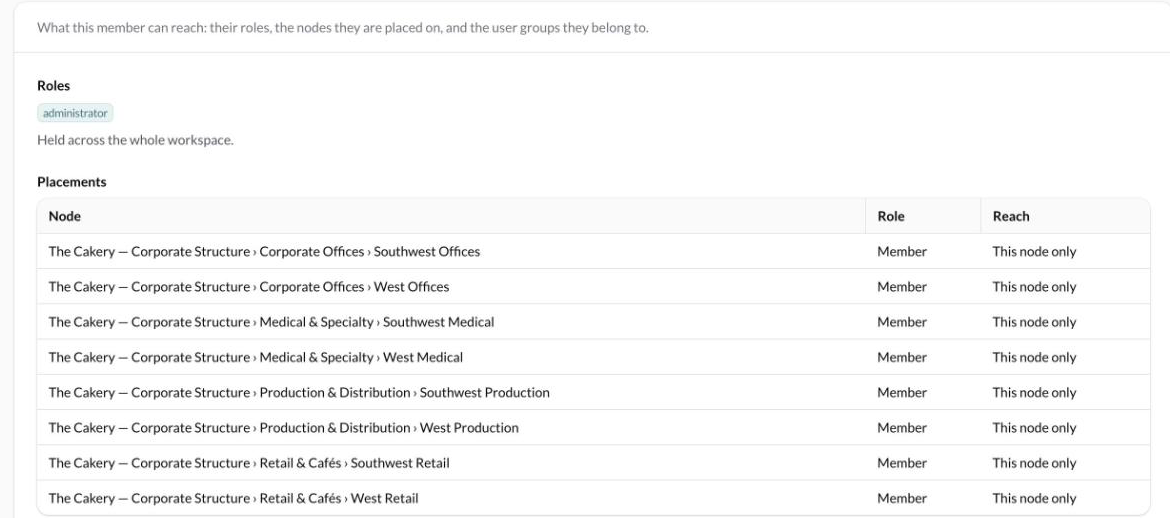
Access Summary shows their roles, the nodes they're placed on, and what they get through each user group. Reach shows whether a placement covers This node and below or This node only.
The Node Placements tab lists each placement with its level, role and whether it cascades.
Placements they get through a group are listed under User Groups.
Change their access
On the member's page, click Manage access.
Change their main role, additional roles, placements or groups.
Click Save Access.
The change applies the next time they load a page, so they don't need to sign out.
See who changed someone's access
Access History, at the bottom of the member's page, lists recent changes to their access, newest first, with who made each one and when. It covers invitations, role changes, placements, groups, and removing or reinstating them.
Common questions
Can I edit someone's name or email?
Can an Admin change another Admin's access?
Yes. Only Owners are protected: only an Owner can make, change or remove an Owner.
I don't see Users, Roles or User Groups in Setup
You need to be an Owner or Admin. Ask one of them to change your access.
Was this helpful?
Was this helpful?